Wasp is the back office of a contracting company: it qualifies suppliers, collects offers, buys, sells, invoices and checks every delivery — and each of those steps is a numbered form an ISO 9001 auditor can open. I designed the product: the flows, every screen, the design system and the live prototypes developers built from.


Wasp is an internal tool, and I don’t have usage data from it — so this page has no before-and-after numbers. What it shows instead is how a stack of compliance paperwork became one place to work.
It came in as Photoshop mockups
Wasp reached me as Photoshop mockups at a very basic level. The design system, the live prototypes and the experiments started with me — and the product was worked out together with the founders and partners, at one table in CoffeeLea, their favourite café.
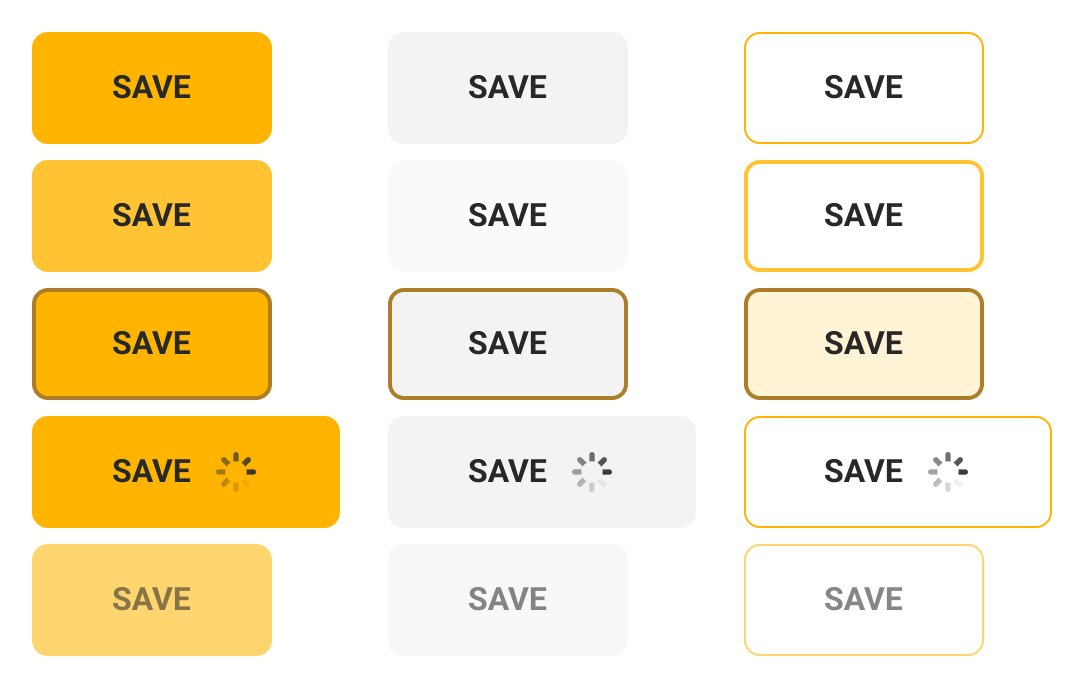
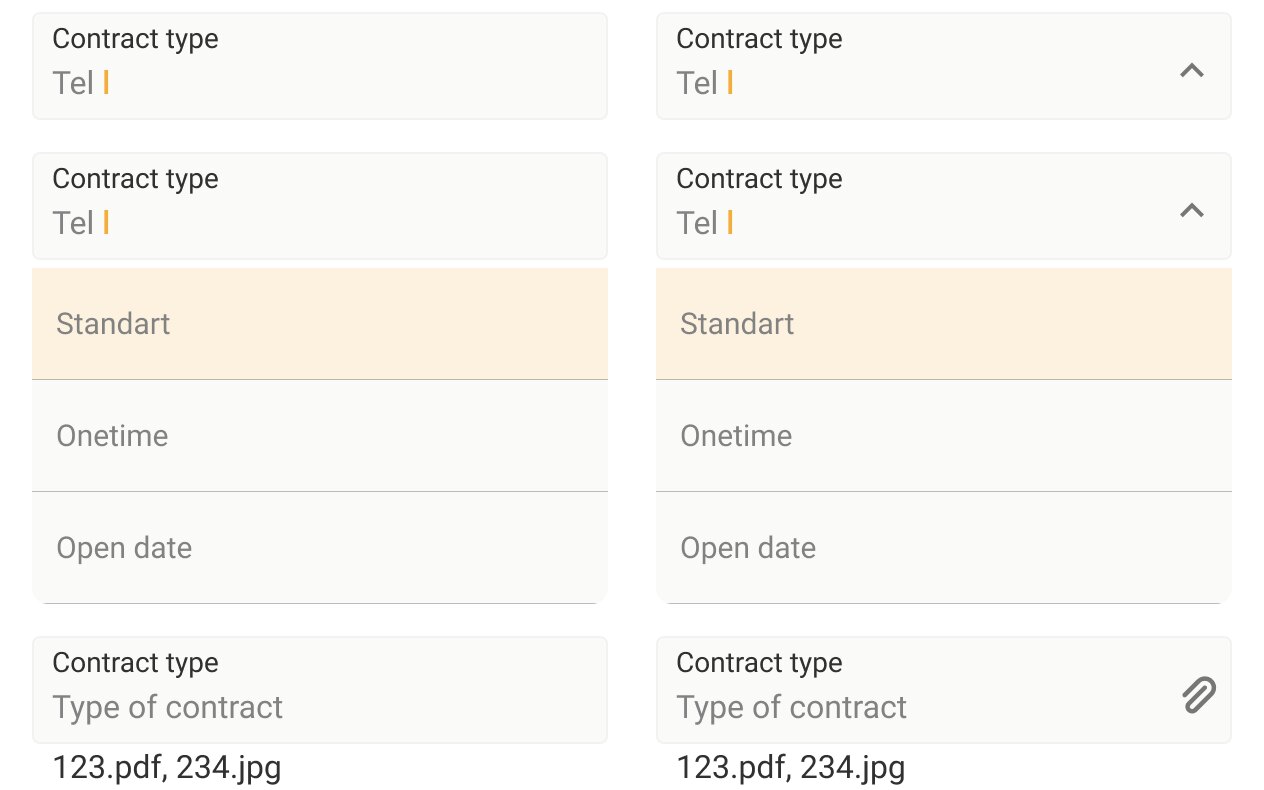
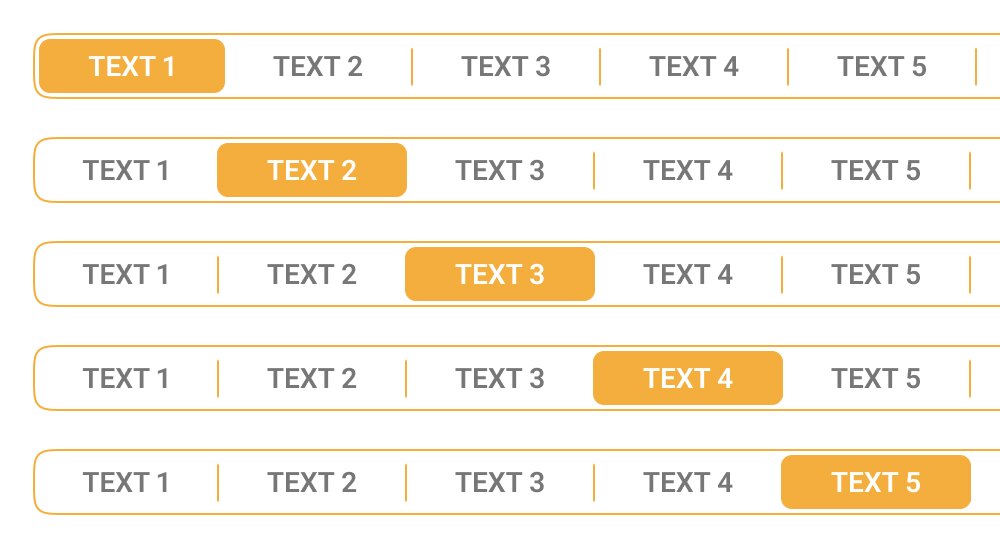
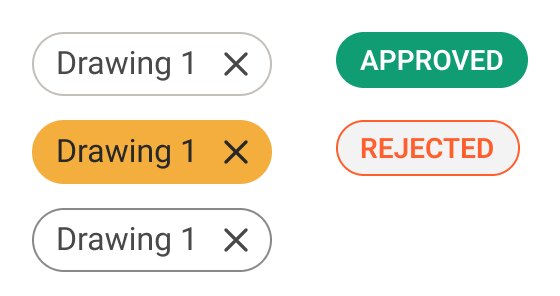
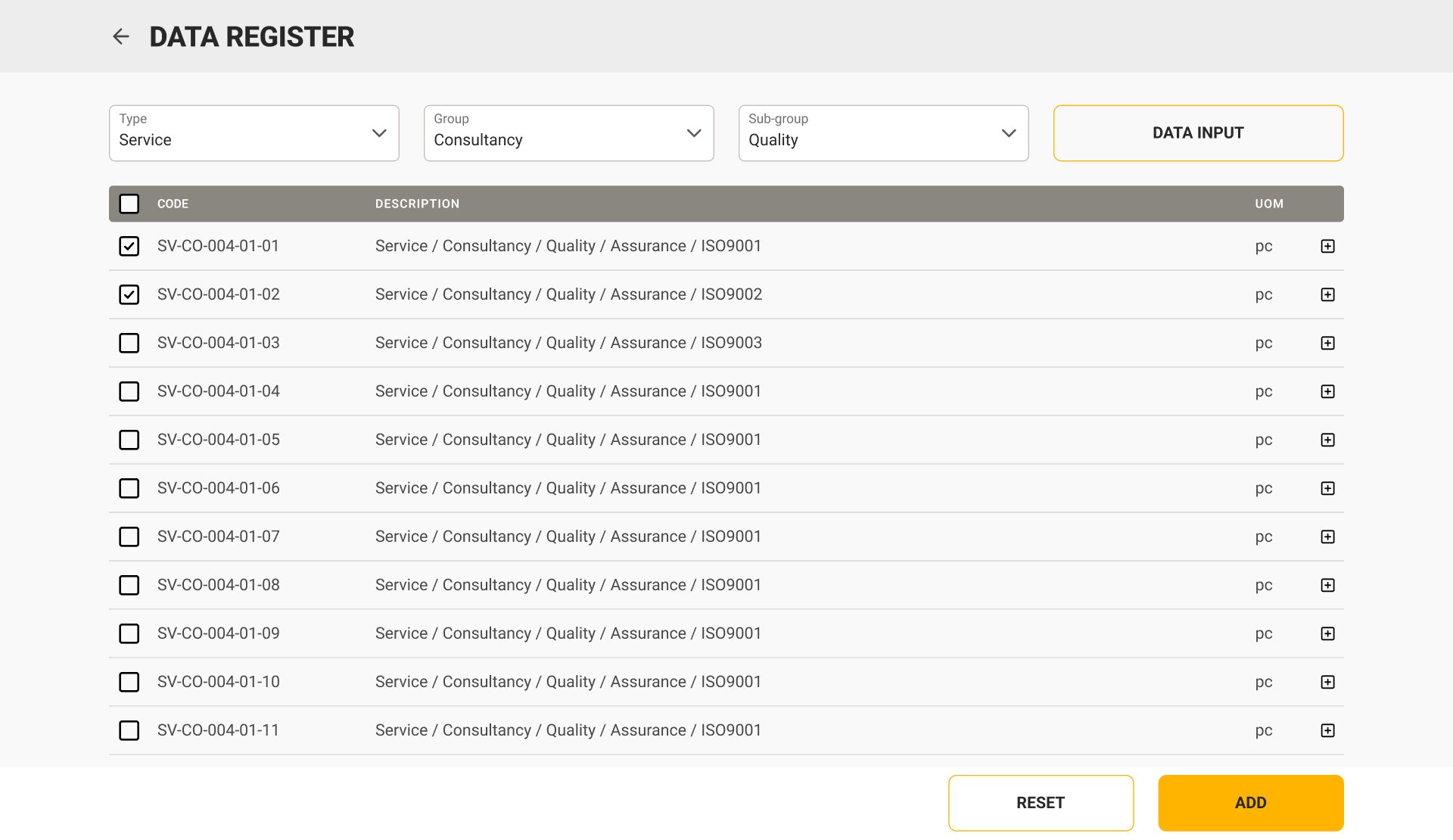
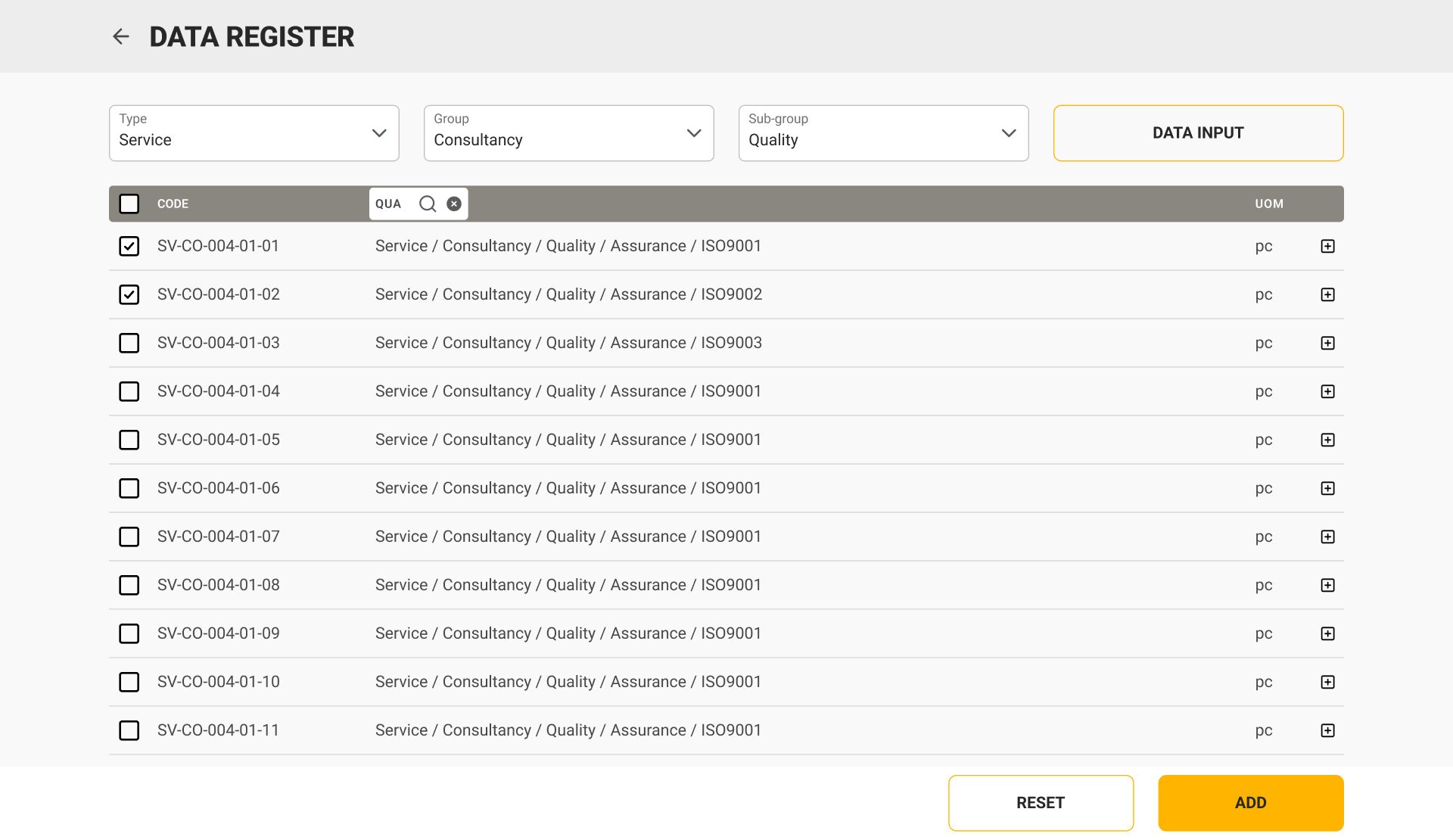
- Search in the column headerthe header itself turns into a field — no separate search page, the table stays in place
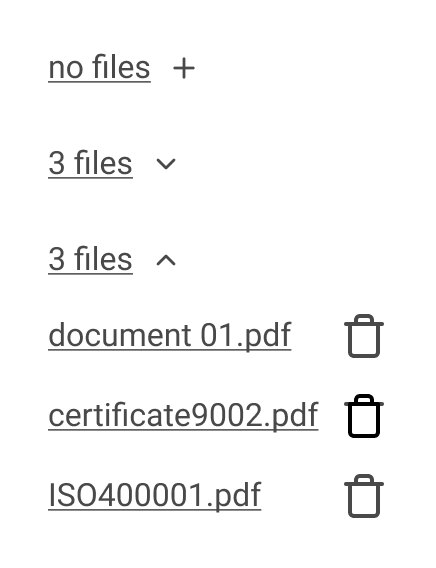
- Attachments fold into a count“no files”, “3 files”, then the list with delete — the row stays one line high
Prototyped first, then built: interactions were tried live before they reached the developers.
One number from request to handover
The first version copied the paper: one screen per ISO form, each with its own register, and a job was spread across all of them. The final design is built around a case. A request gets a number, and every document that follows — offer, agreement, invoice, act — grows from it. Scroll through one purchase.
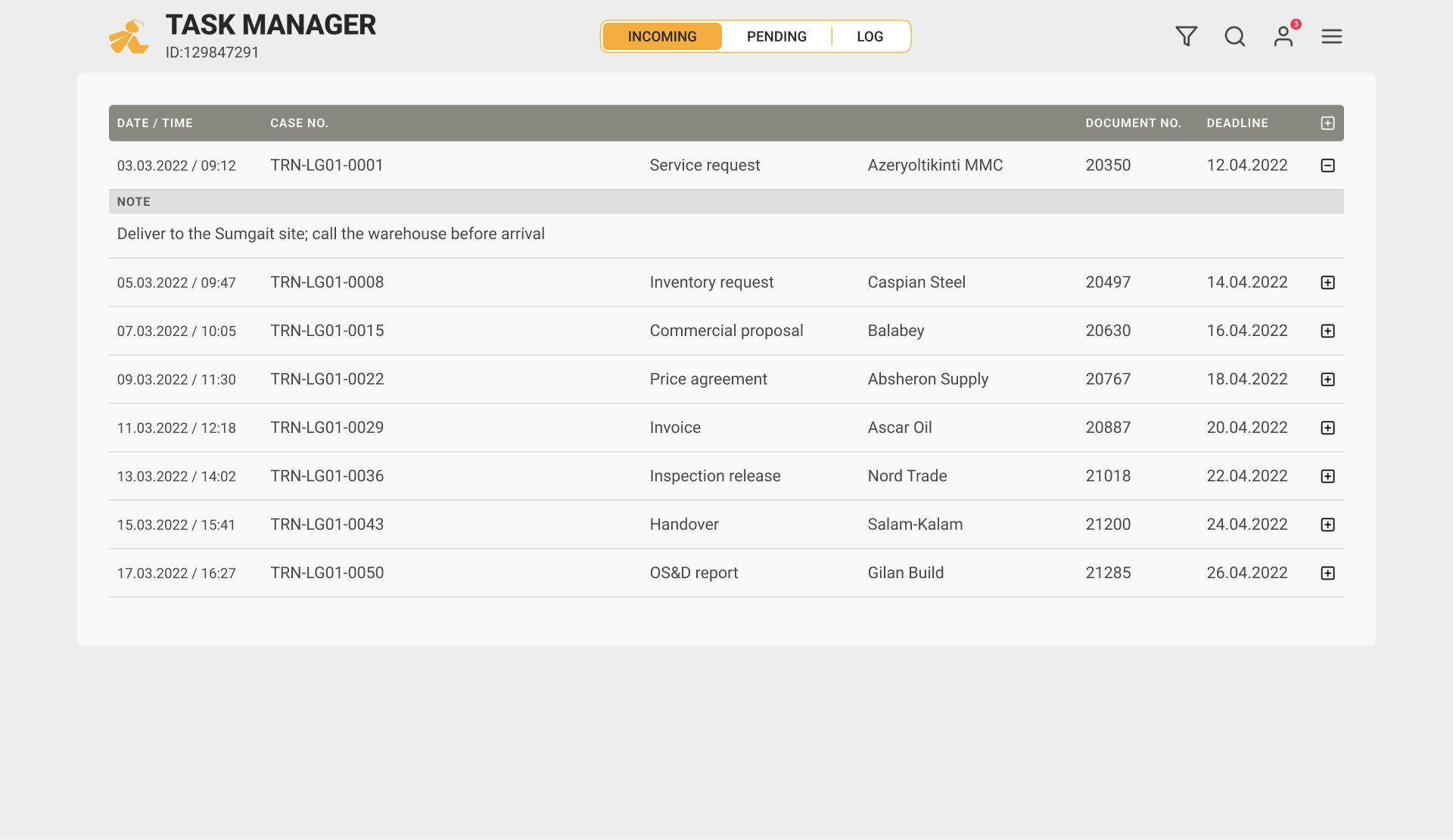
Everything starts in the task manager: incoming, pending, log. Each row is a case with its deadline, not a form to find in a menu.
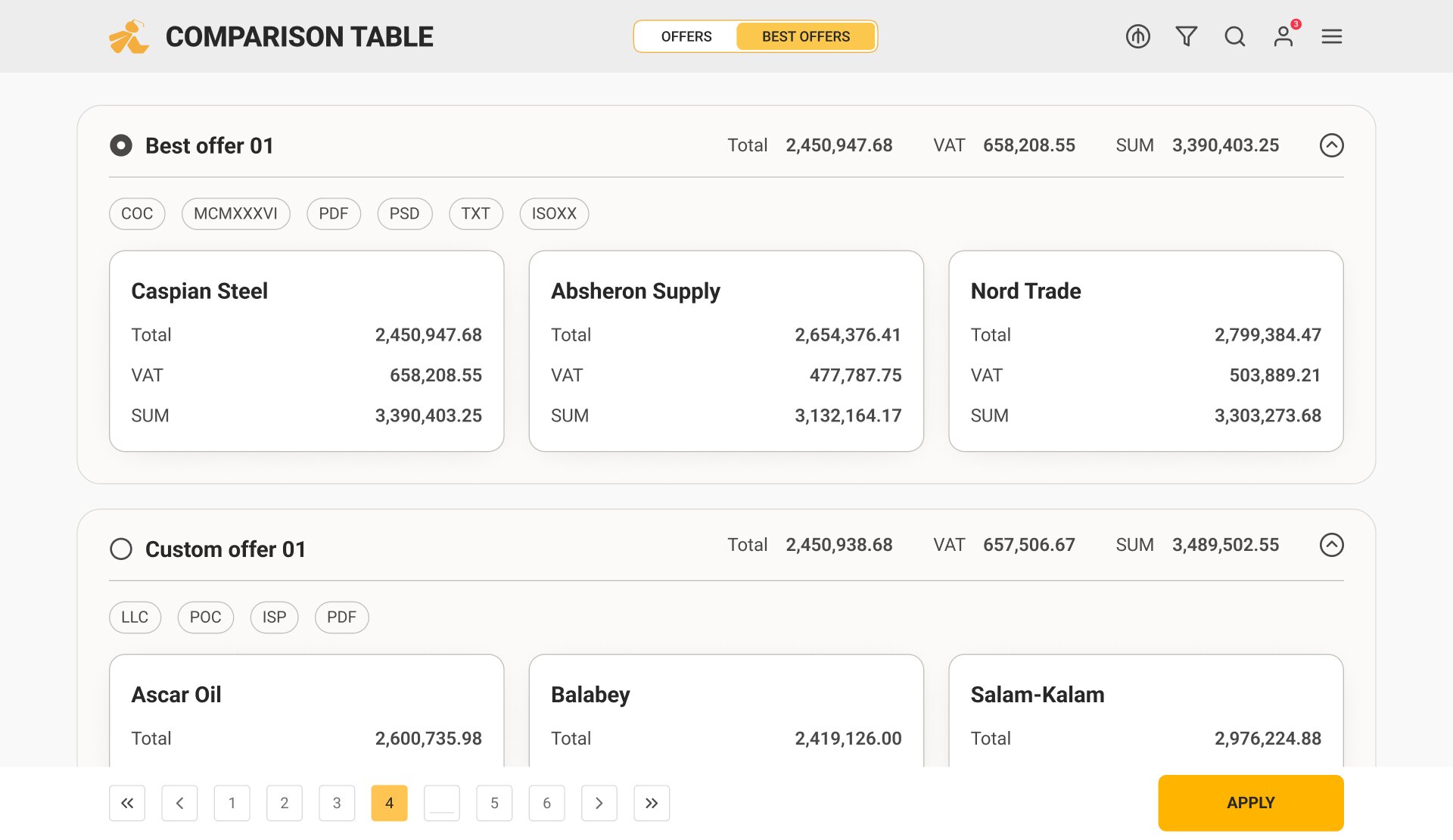
Suppliers answer the request; the comparison table puts their totals, VAT and documents next to each other. A buyer can also assemble a custom offer from the best lines.
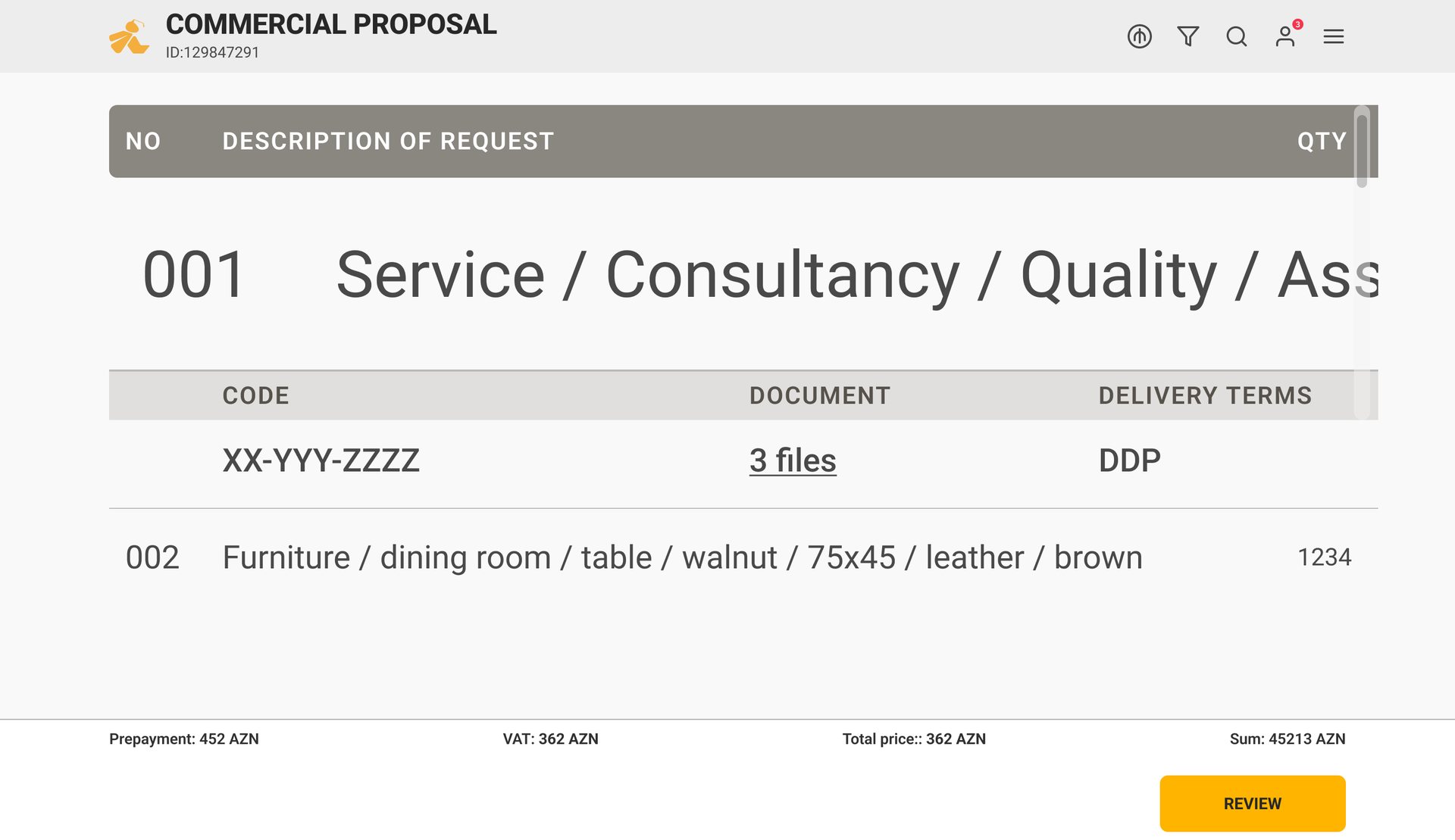
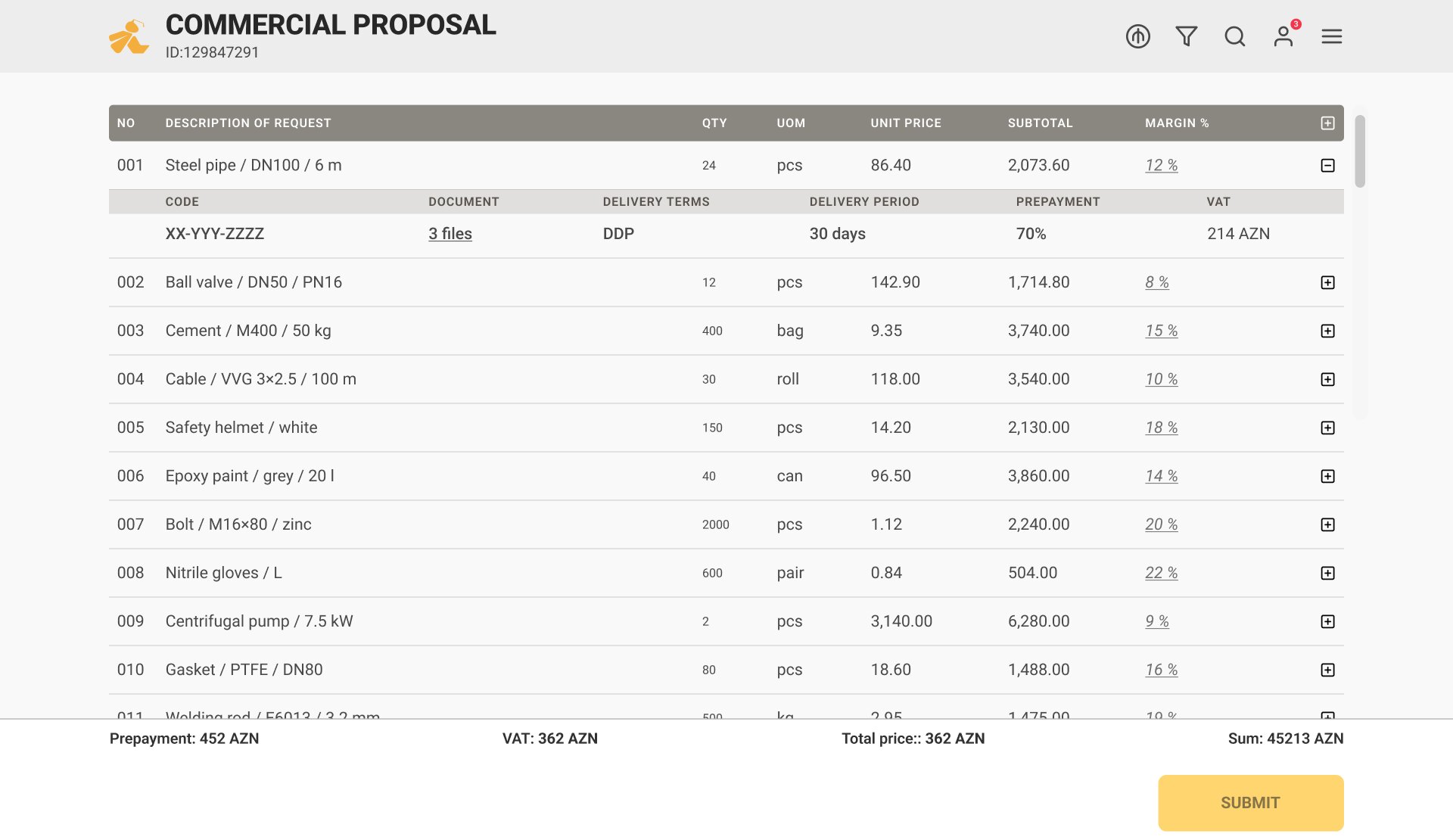
On the sales side the same lines become a commercial proposal — description, code, documents, delivery terms, with prepayment, VAT and total at the bottom.
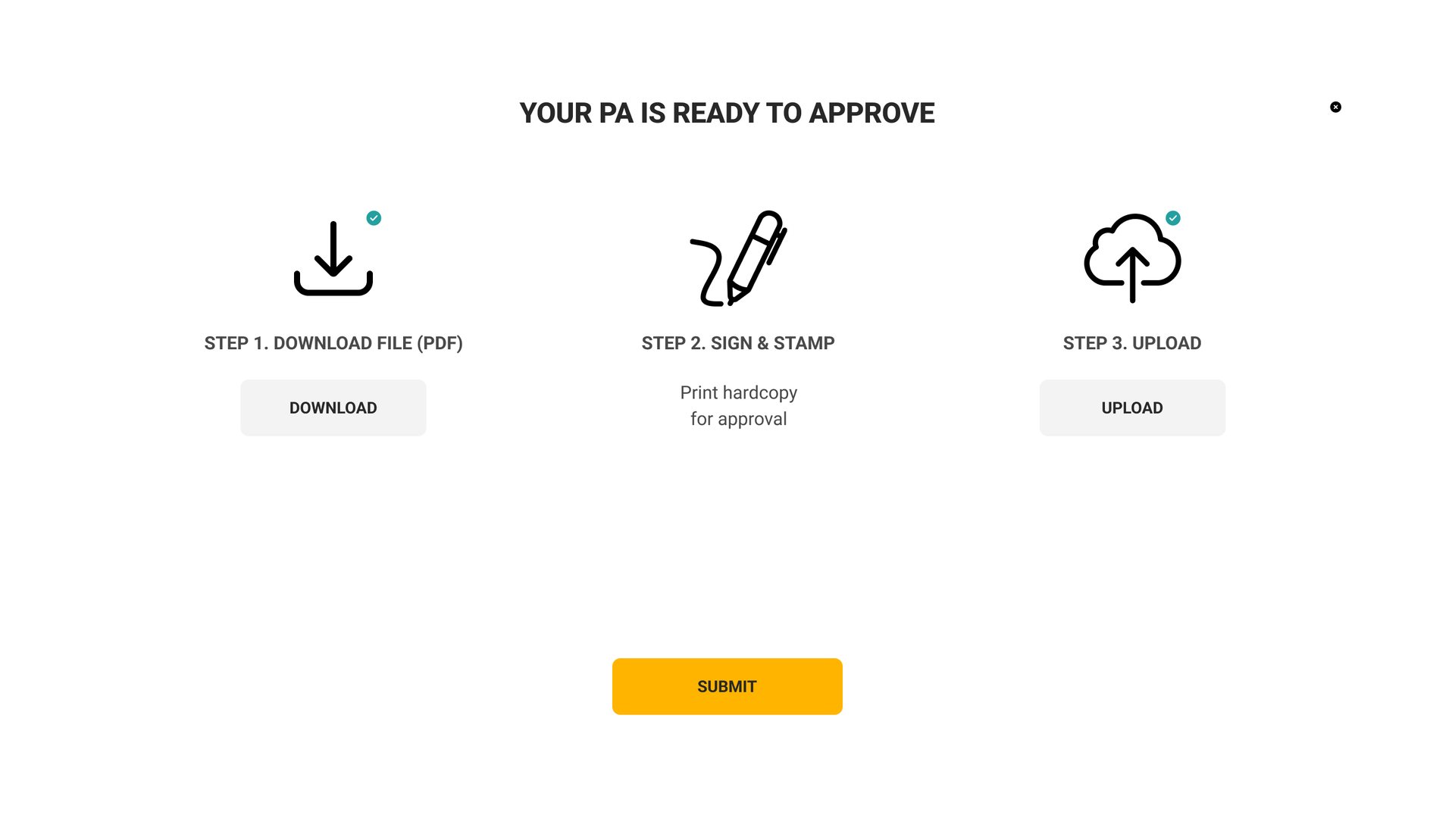
The price agreement still needs a wet signature and a stamp. The screen says so plainly: download, sign, upload — three steps instead of a pretend e-signature.
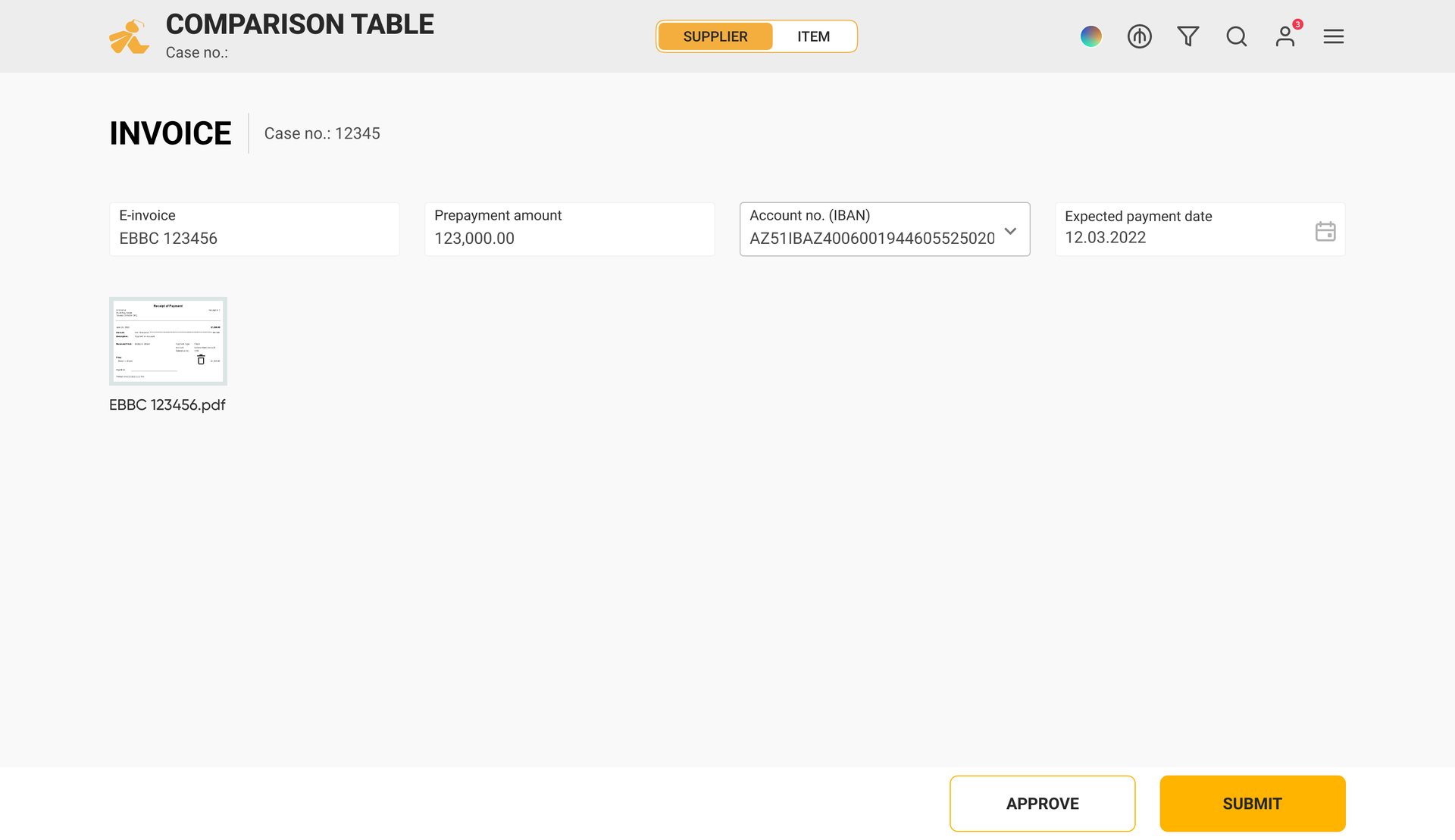
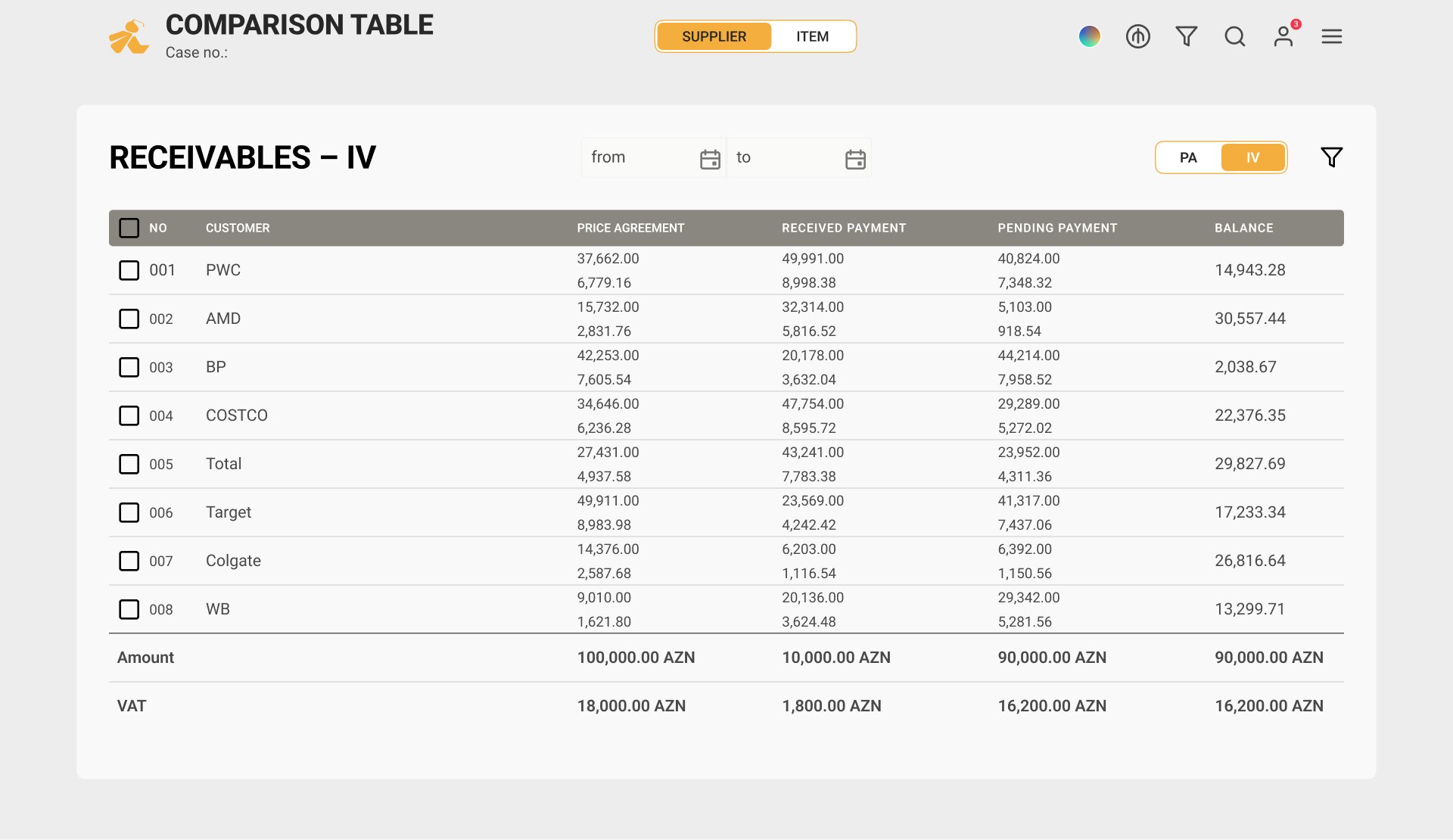
The invoice inherits the case: e-invoice number, prepayment, the IBAN to pay into, the expected date. Receivables are the same table seen per customer.
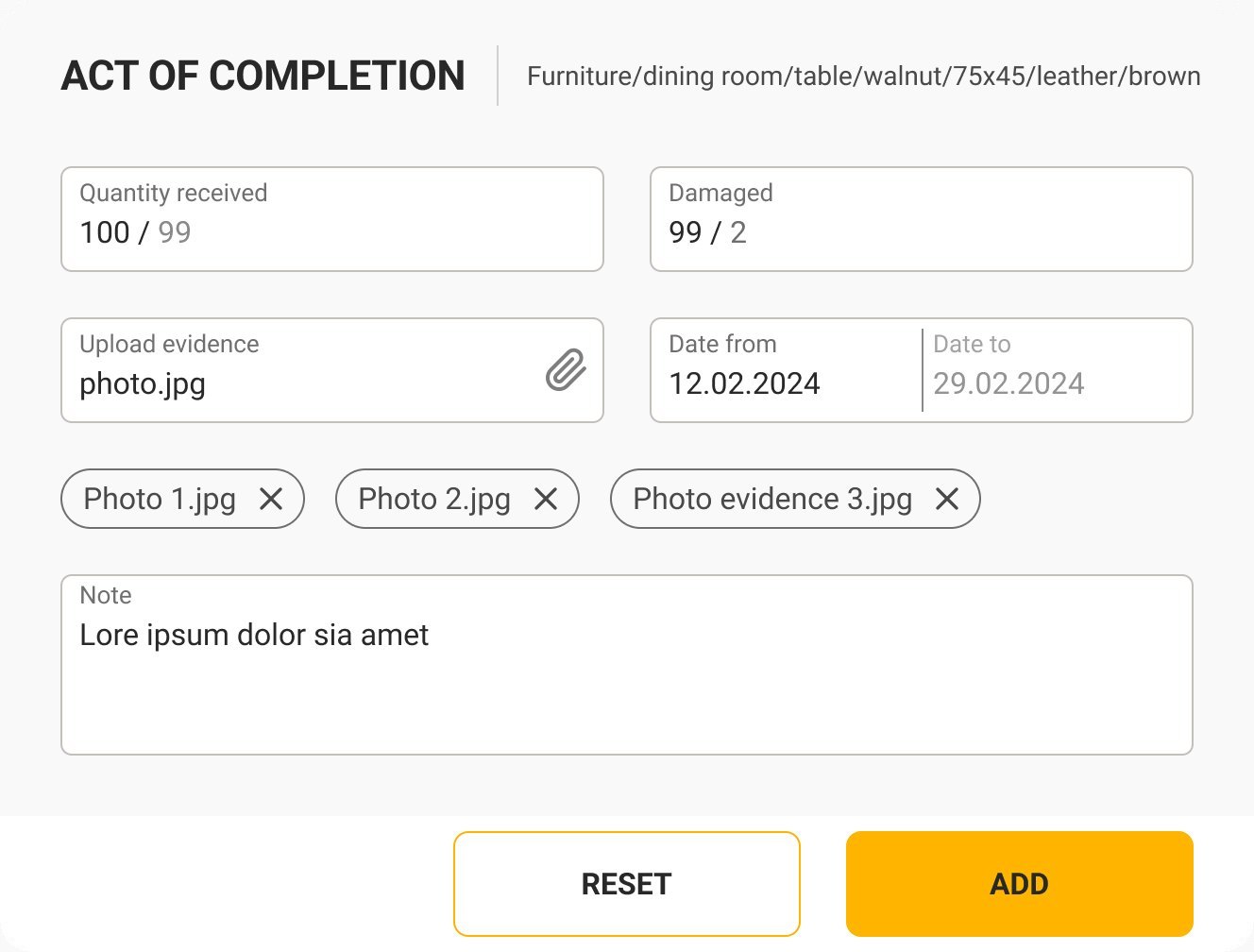
The act of completion: quantity received, damaged, the dates, and photos as evidence. The case closes on a document an auditor can open.
Four departments, one rank
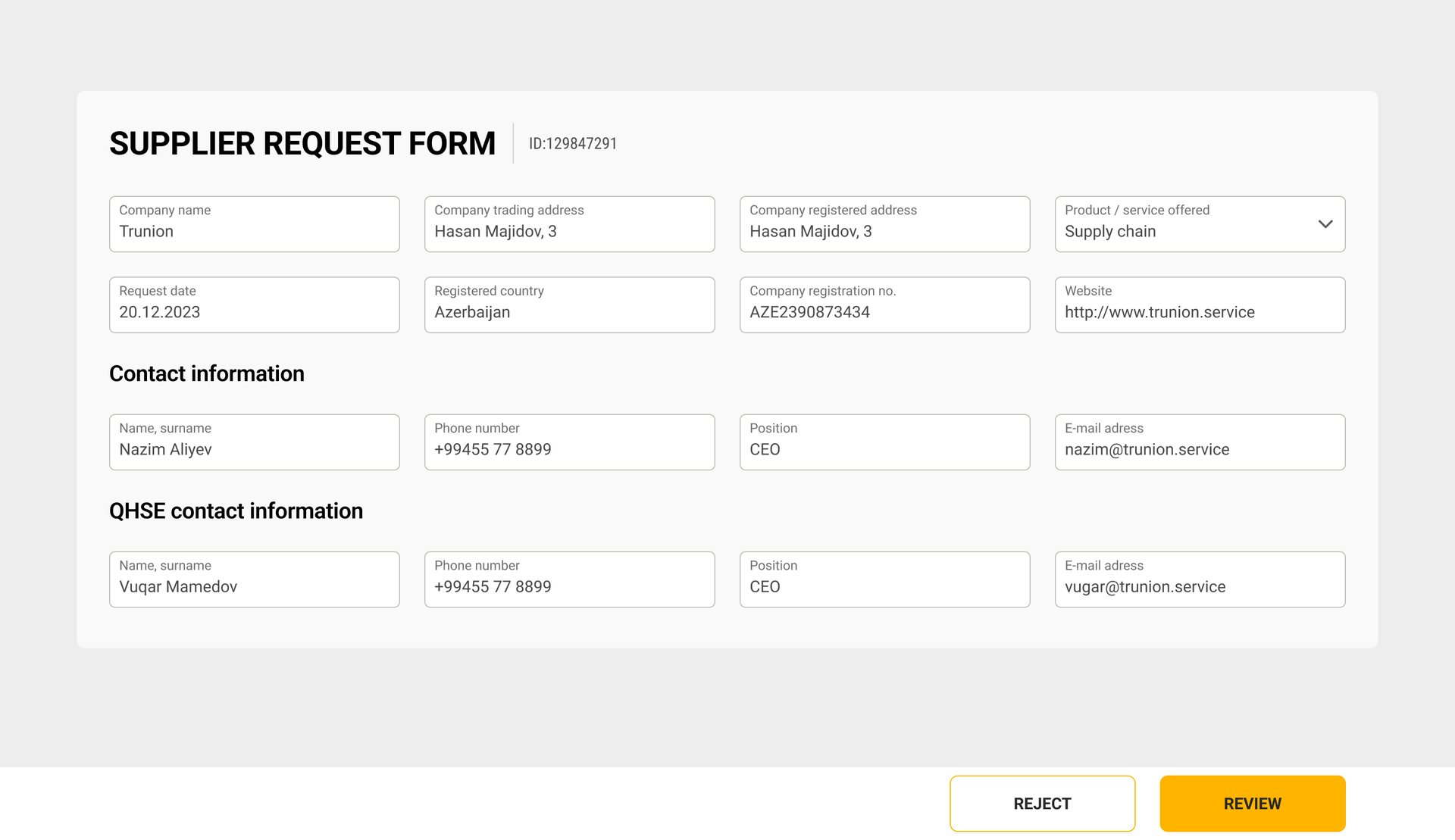
ISO 9001 wants every supplier qualified before the first order. In Wasp the supplier fills one form once, and each department reviews its own part on one screen. Their verdicts add up to a score, and the score to a rank.
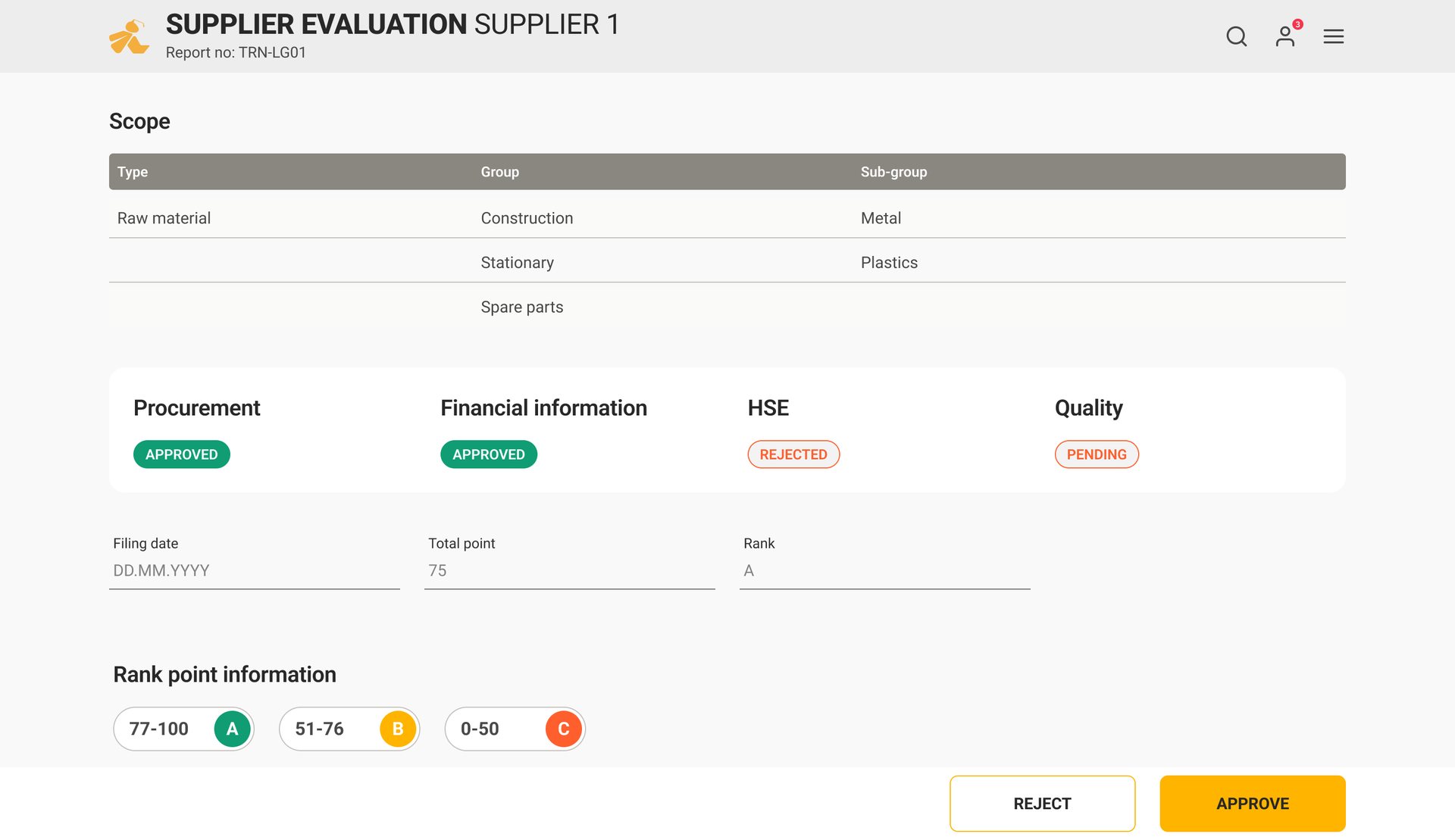
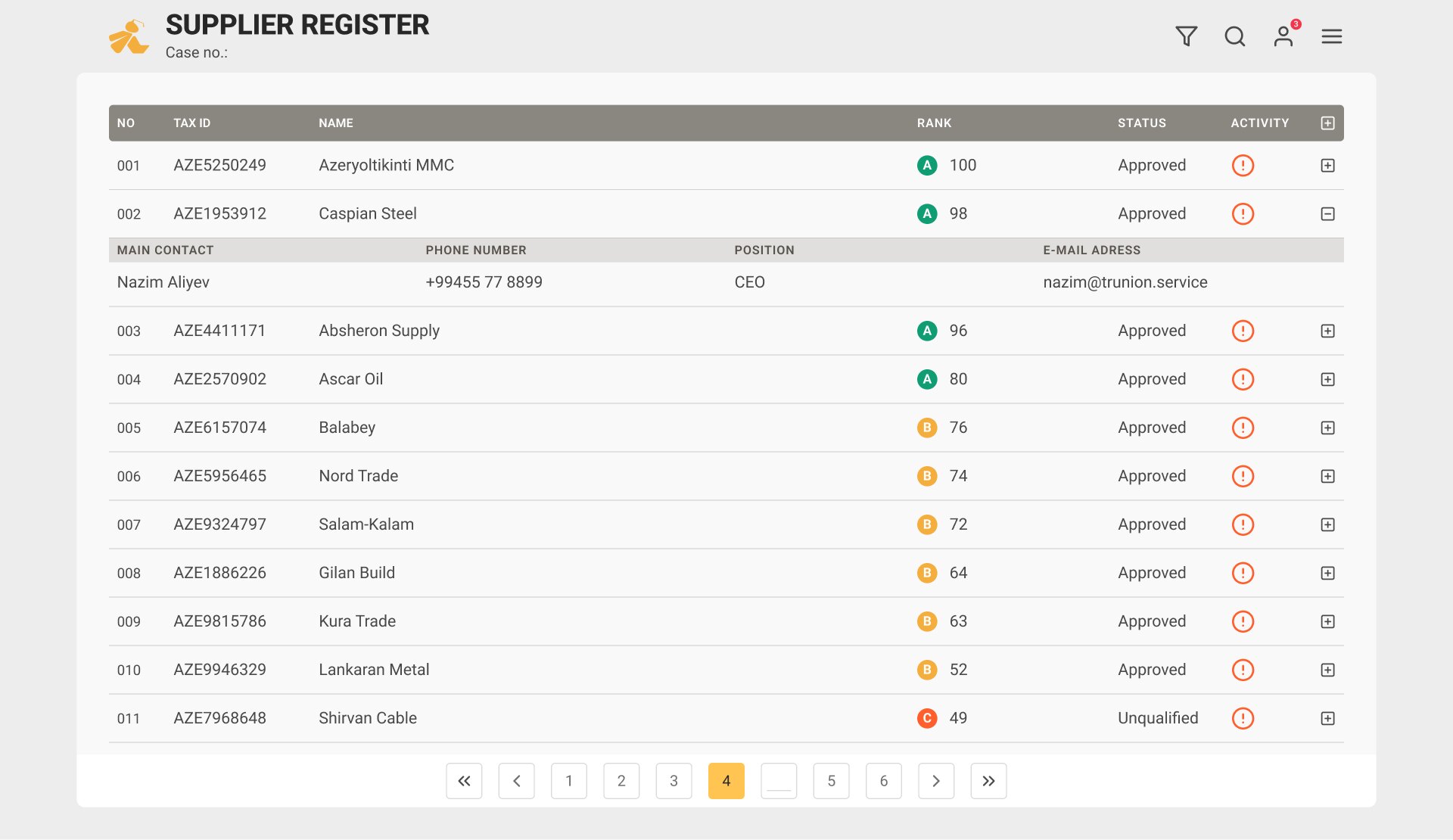
Rank A from 77 points, B from 51, C below. A supplier is awaiting, approved, unqualified, rejected or blacklisted.
What’s missing is the loudest thing on screen
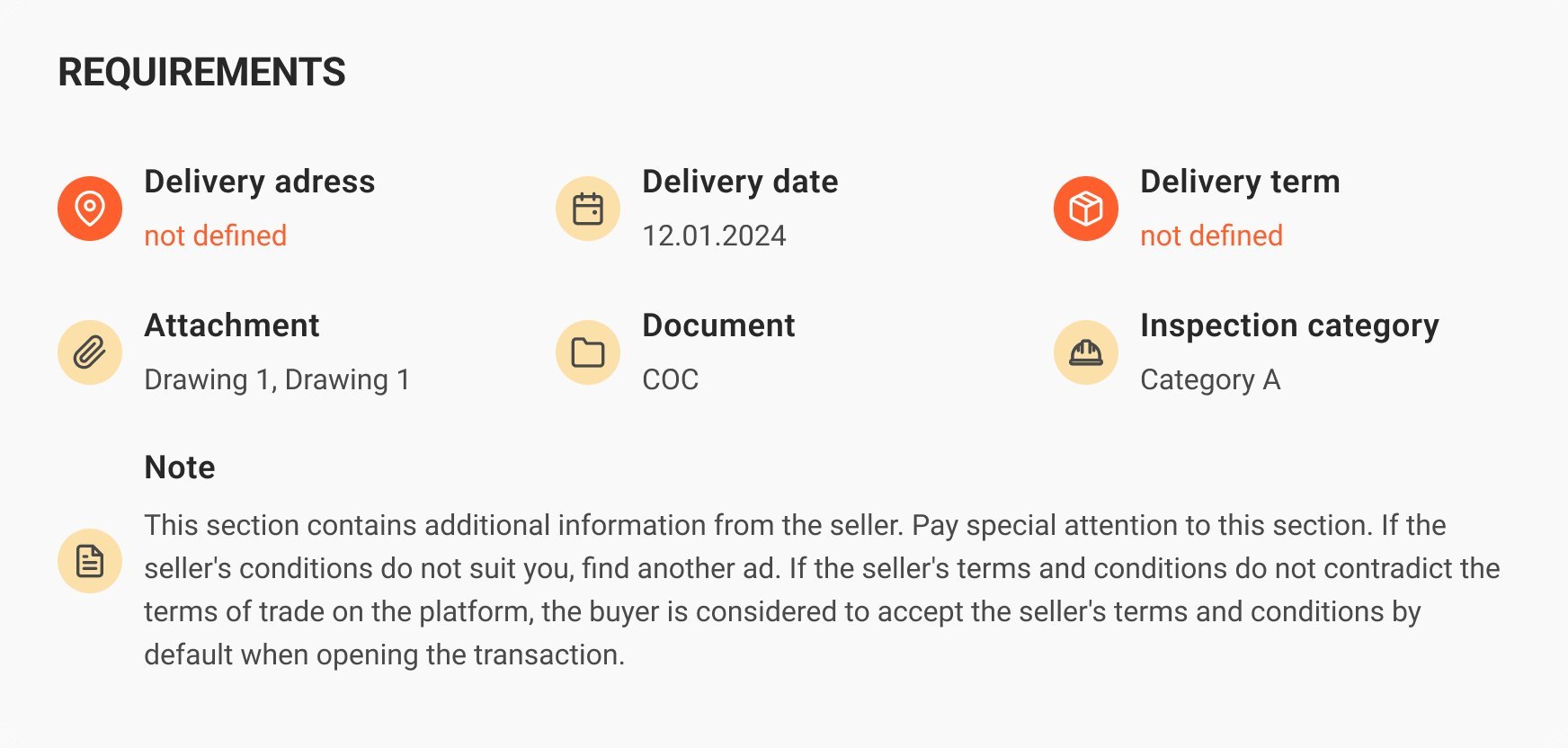
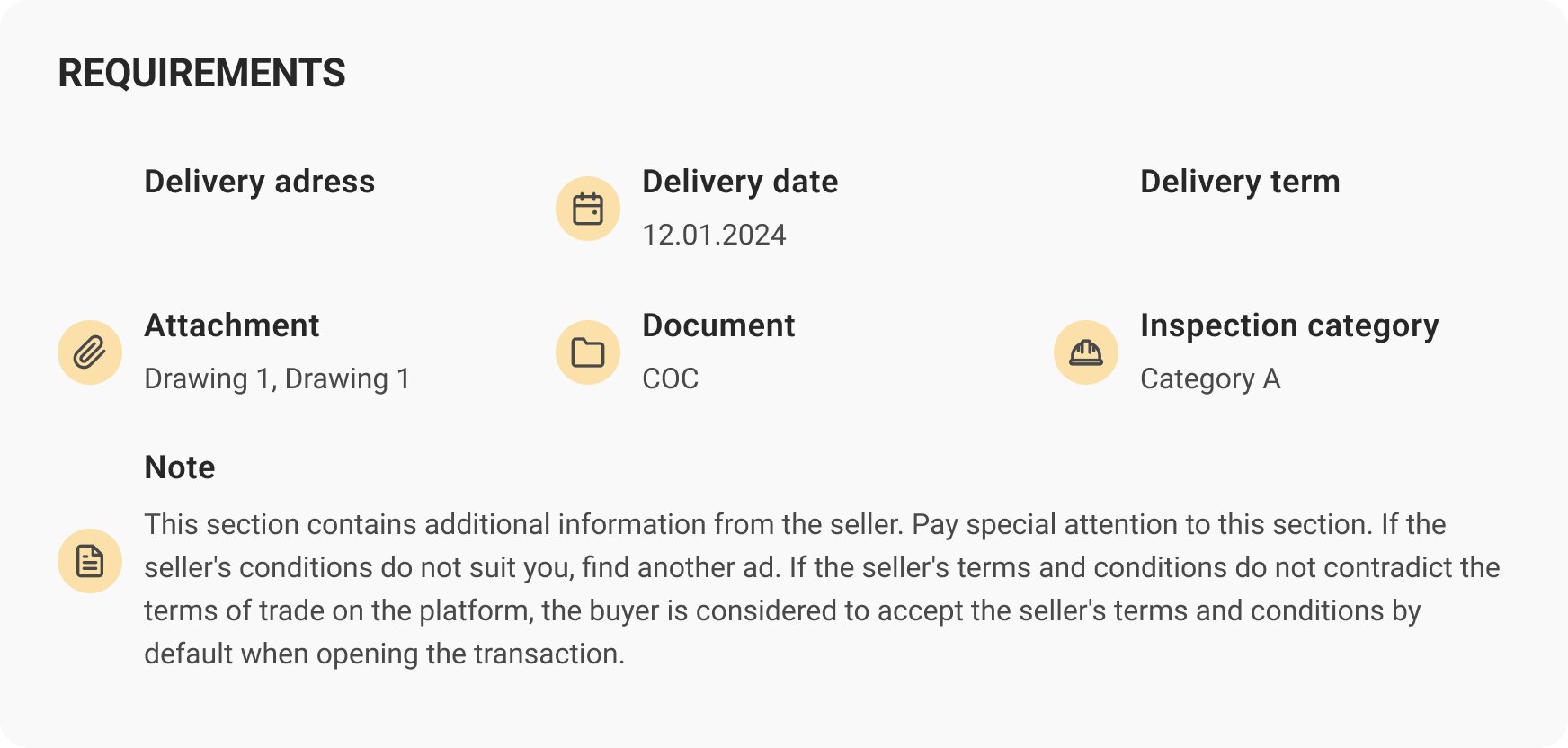
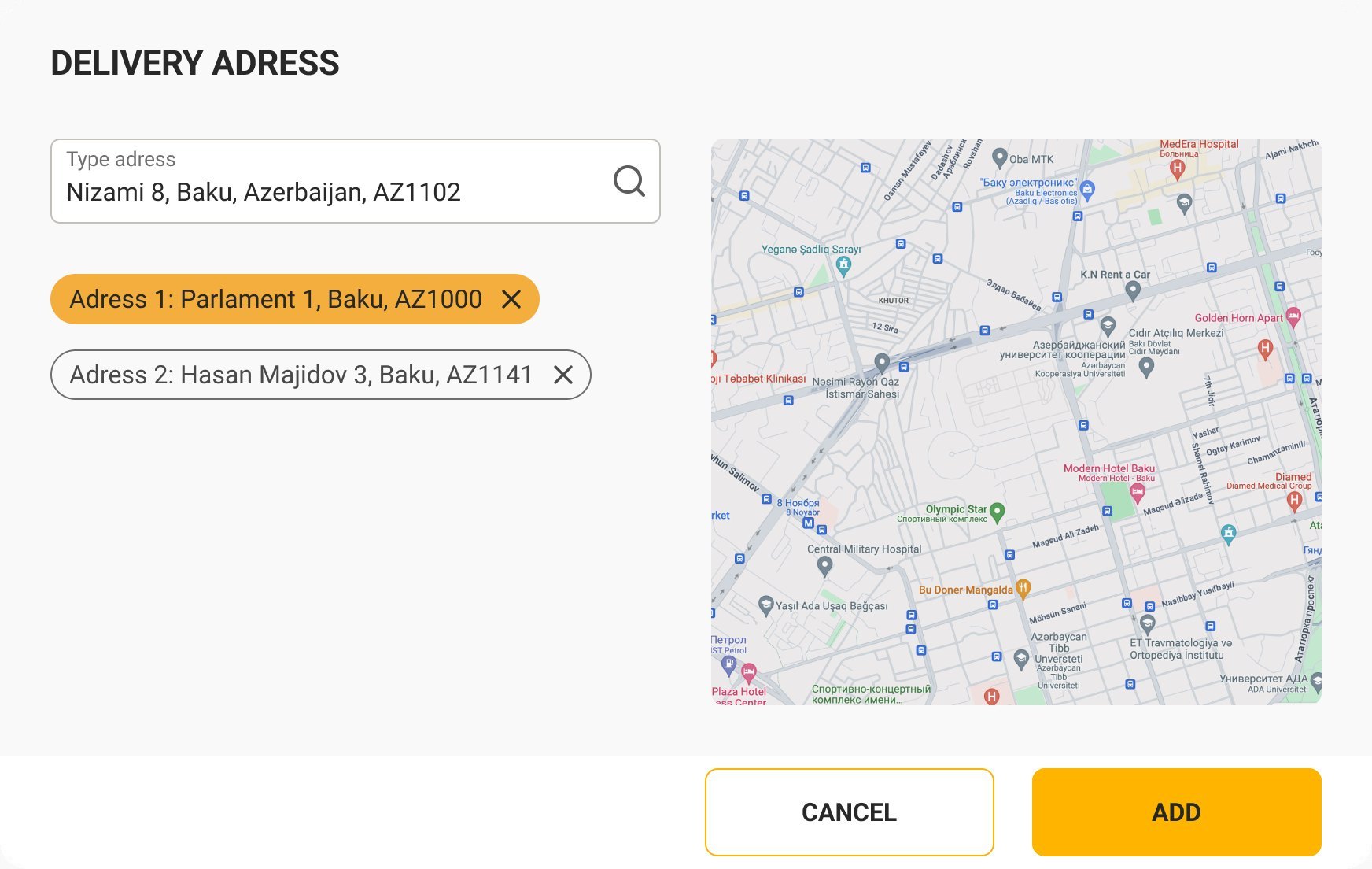
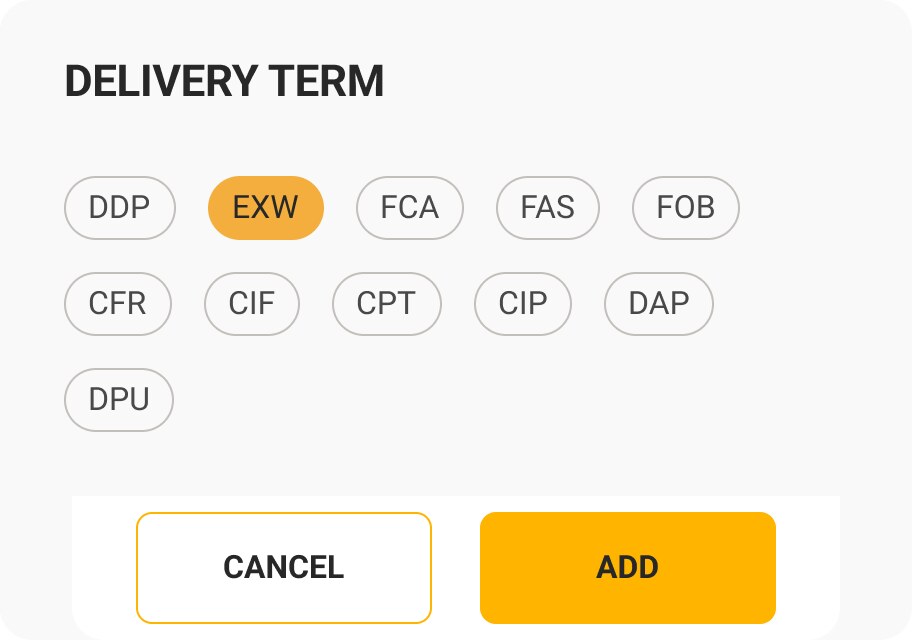
A request is a list of lines, and every line carries its own terms: where to deliver, by when, under which Incoterm, what drawings and documents come with it, which inspection category applies. Anything not yet defined turns red — a supplier can’t price what nobody specified.
Offers side by side, then variants
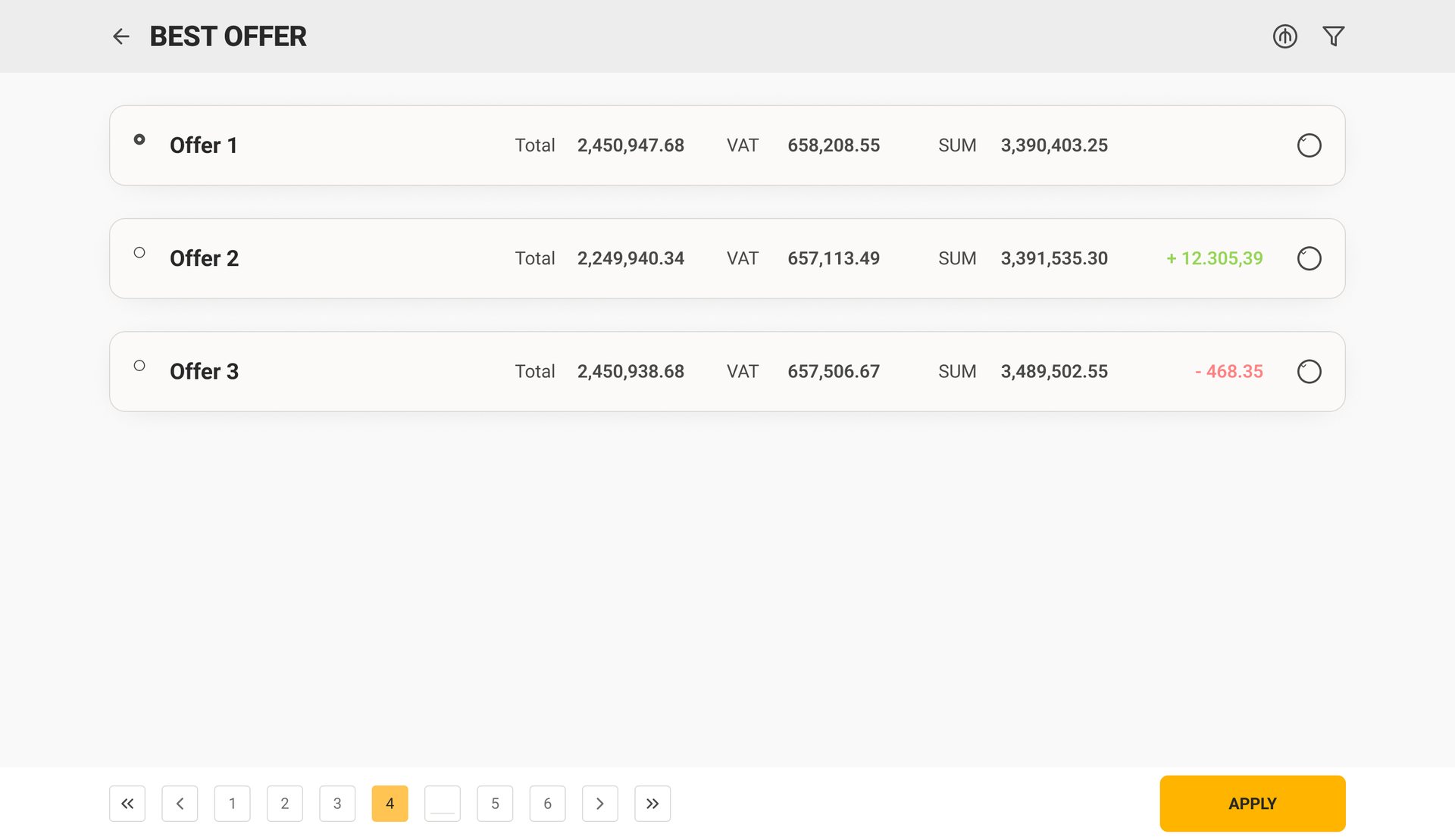
Offers arrive from several suppliers for the same lines. The comparison table puts them side by side — totals, VAT and documents per supplier, plus a custom offer the buyer can assemble. The variants list sums each one up with its difference to the first in green or red, and the selected offer is built line by line.
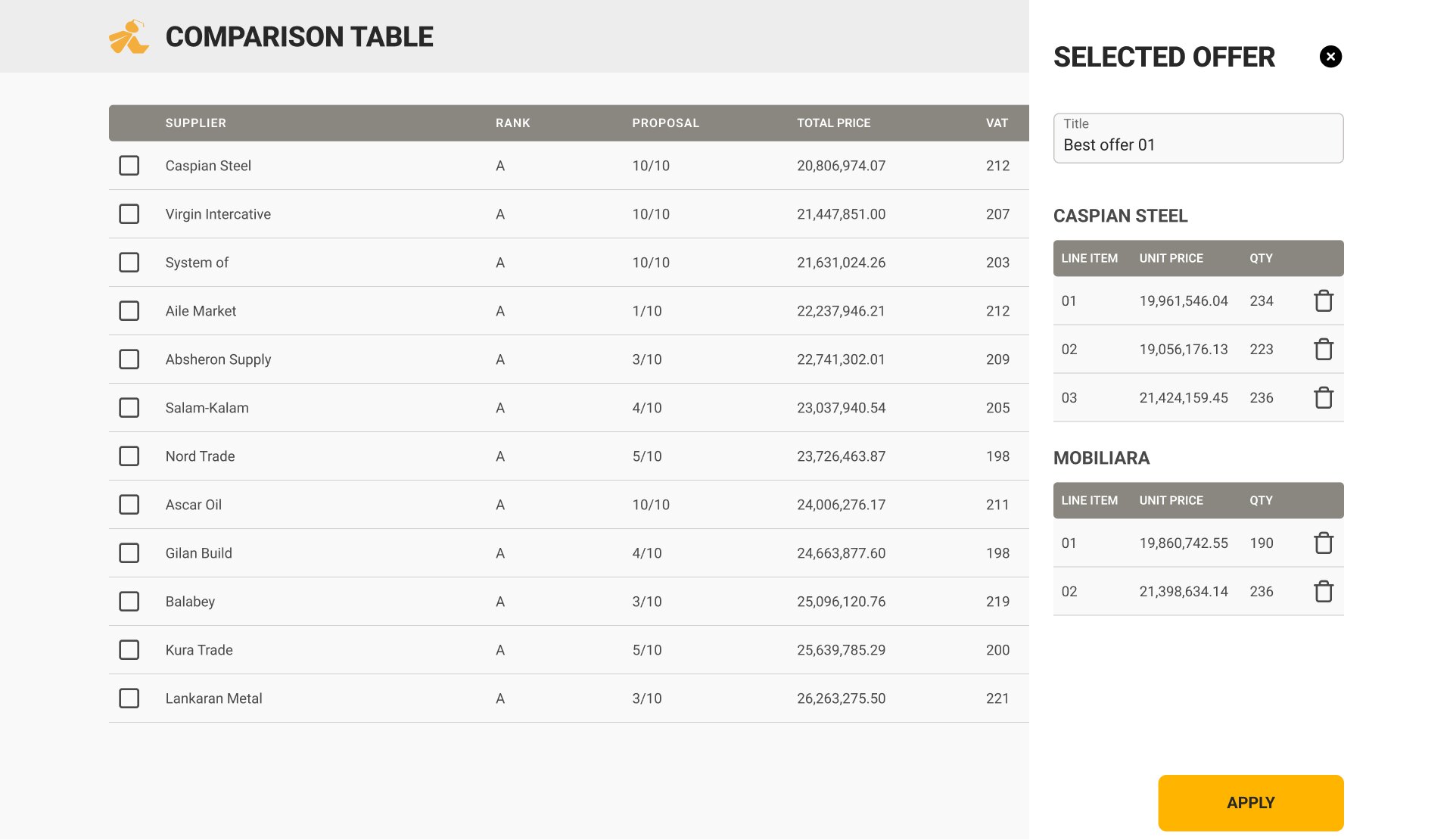
Documents ride along as chips — COC, PDF, PSD — so the cheapest line without a certificate can’t win by accident.
Designing for the stamp
Customers still sign the price agreement by hand and put a stamp on it. Pretending otherwise would have meant a button nobody trusts. So the product asks for exactly what happens in the office:
Inspection, damage, handover — the same form
Goods are checked three times: at release from the supplier, when something arrives damaged (OS&D — over, short and damaged), and at handover to the customer. Three ISO forms on paper; one skeleton in Wasp. People learn it once.
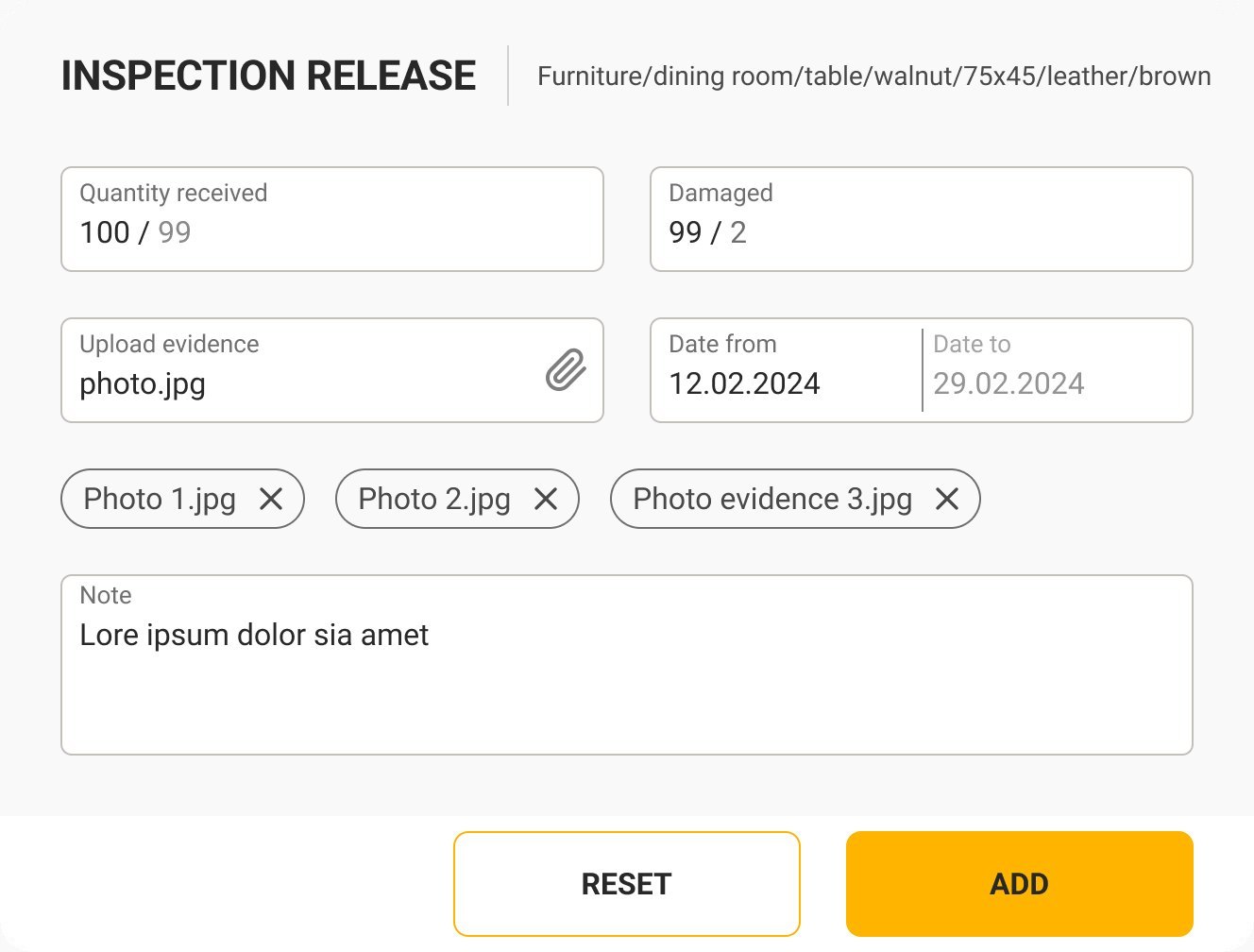
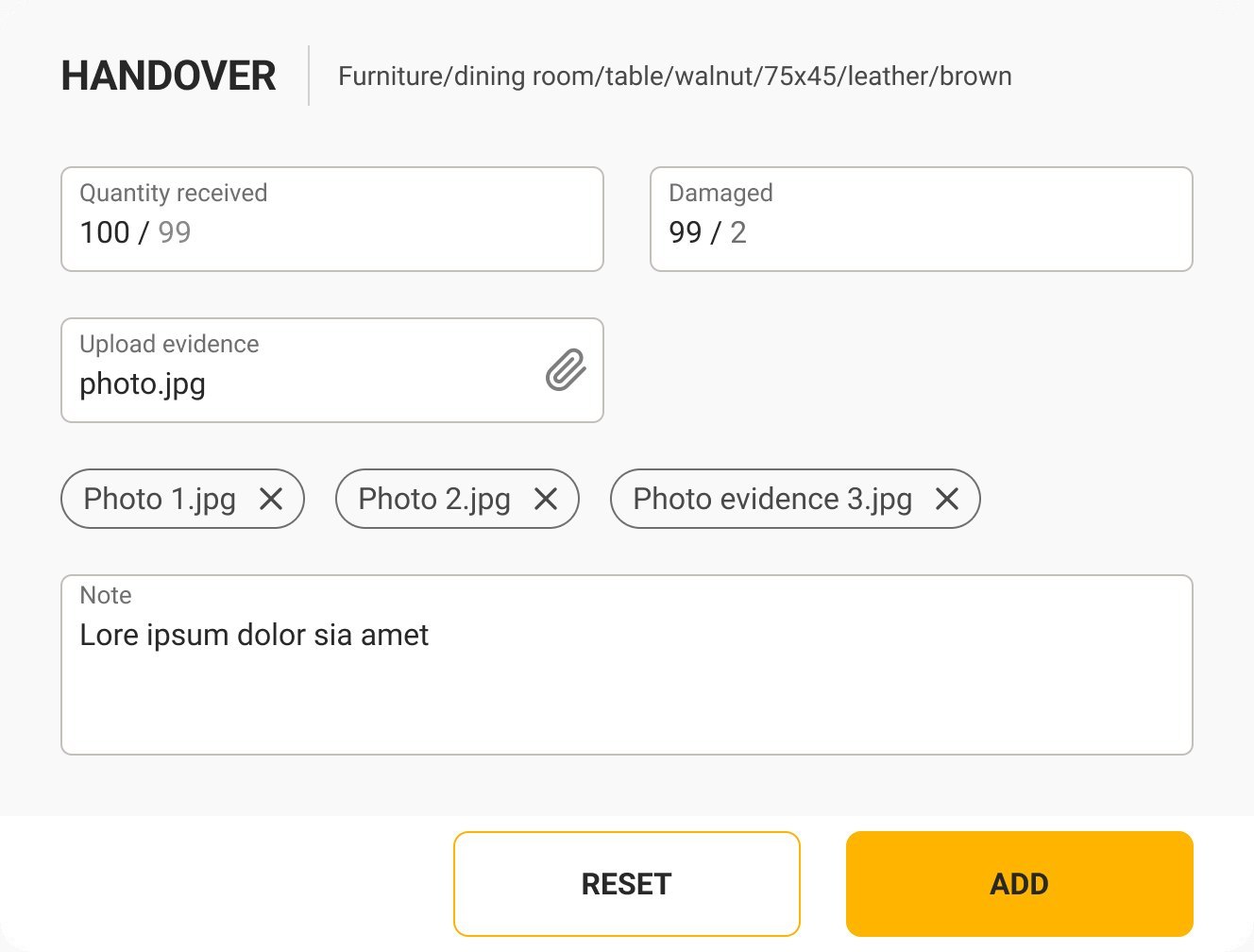
- Quantity received / damagedtwo numbers against the ordered quantity — the difference is the claim
- Dateswhen it arrived and the period it covers
- Photo evidenceattached as chips, removable before saving
- Notefree text for what the form doesn’t foresee
From a register per form to a case per job
The first version — still in the archive pages of the file — mirrored the company’s numbered ISO registers one to one: a side menu of forms, a wide table per form. The final version keeps every register for the auditor, but people start from their tasks.
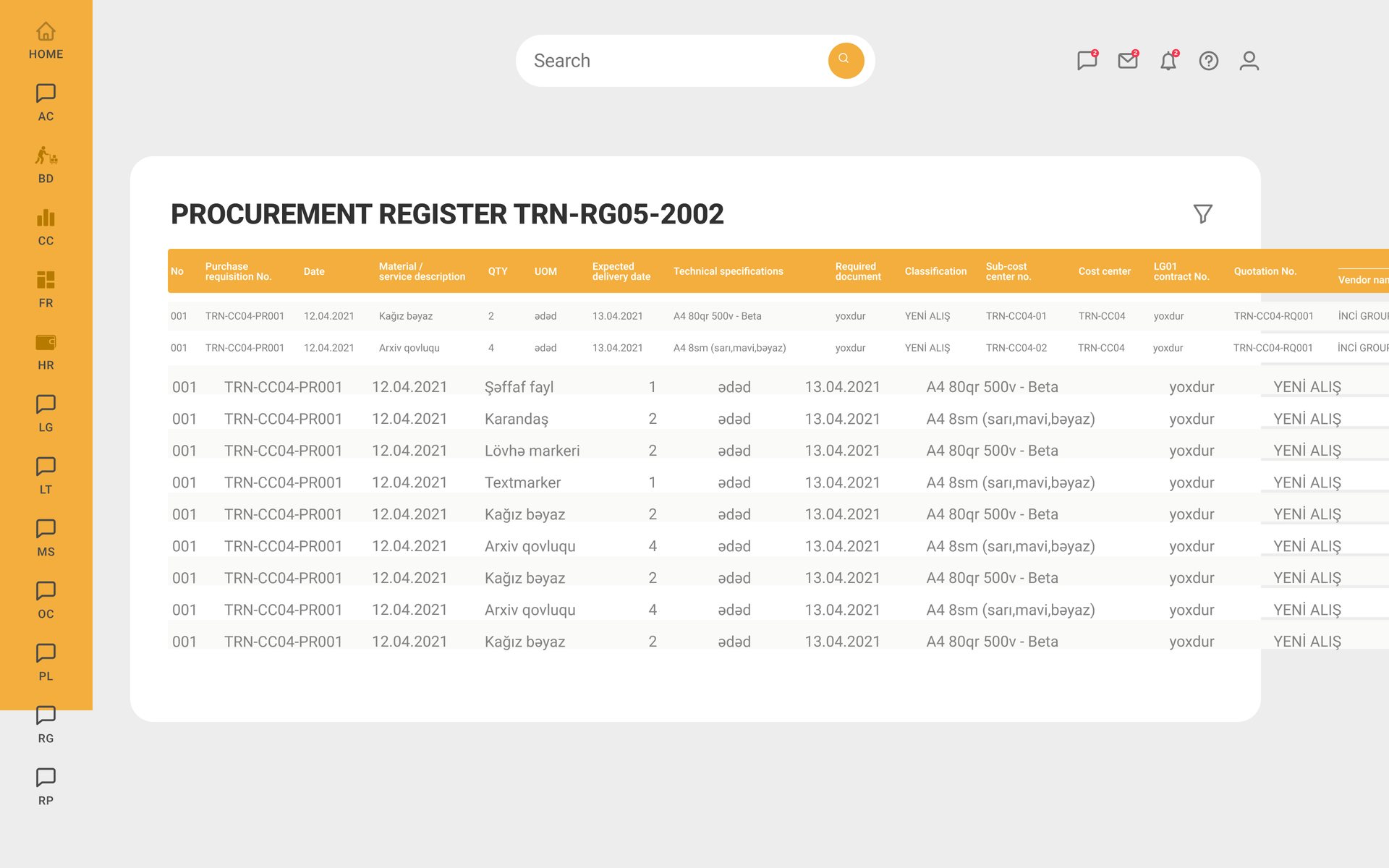
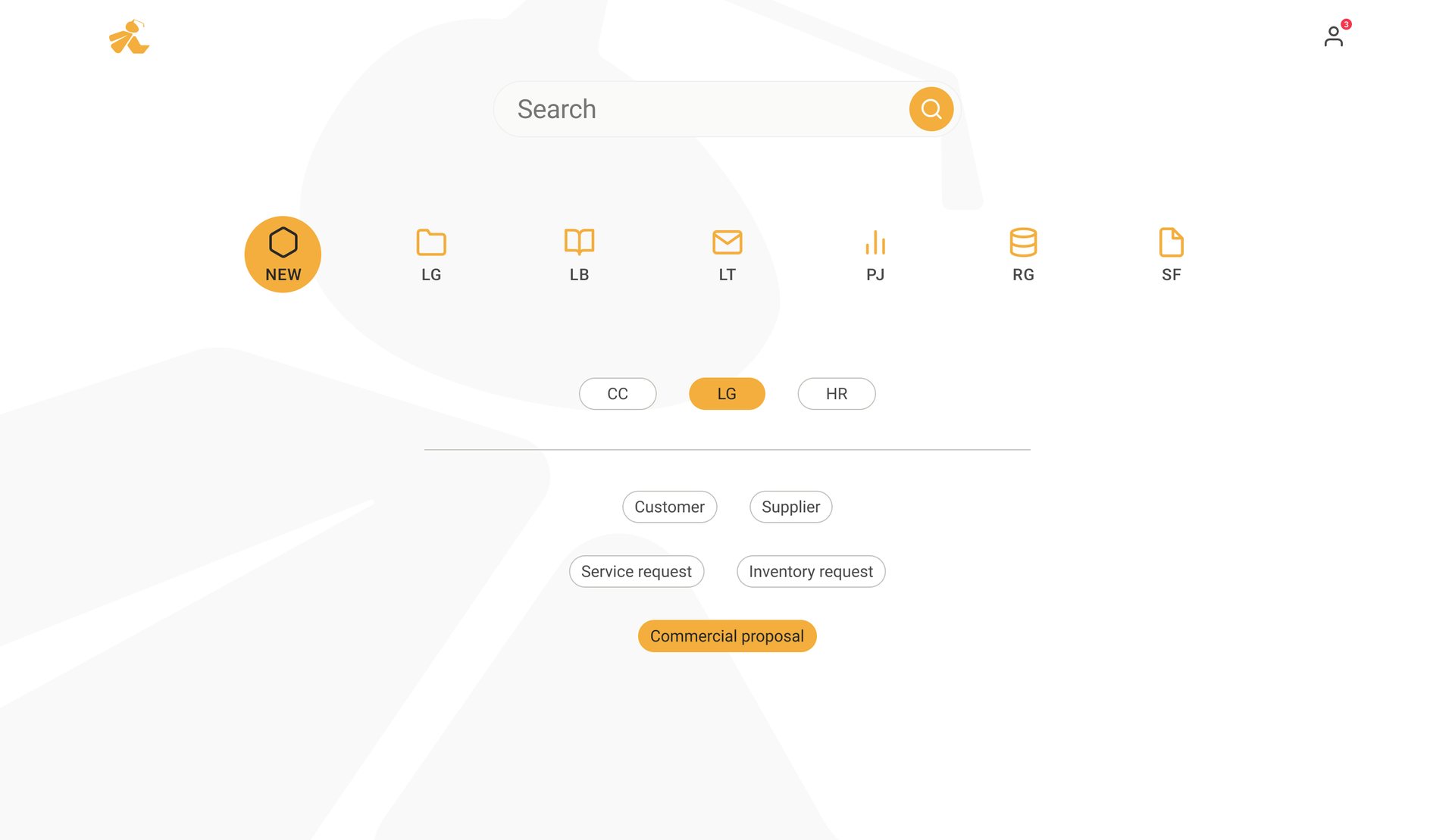
First version: a side menu of forms and a wide register per form. Final: one search, the business units, and only the actions that apply.

Compliance as a place to work
Procurement and sales for a contractor — suppliers, requests, offers, agreements, invoices and acts — on the forms an ISO 9001 auditor expects, in five flows and 262 screens.